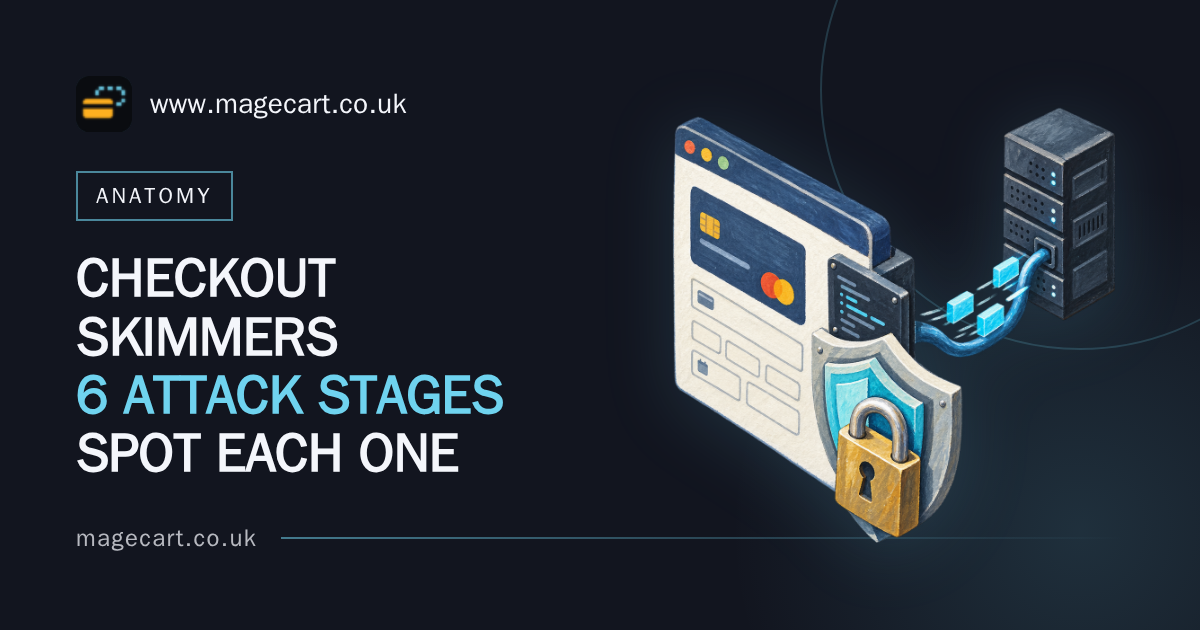
A JavaScript skimmer on a checkout page is not a virus, and it does not break anything. It is a few lines of client-side code, running in the shopper’s browser, reading the card fields as they are typed and sending a copy somewhere else. The payment still authorises. The order still drops into your admin. Nothing in your server logs looks wrong, because nothing went wrong on your server.
Most explanations of a JavaScript skimmer checkout attack stop at that definition and move straight to “monitor your third-party scripts”. That skips the interesting part. What follows is the whole chain on a live payment page, in six stages, with the defence that actually bites at each one. The incidents named are real and public, and each is included because of the route it used, not because of the brand.
Stage 1: injection, and the three routes onto a payment page
Code has to get onto the page before it can read anything. In practice there are three ways in, and your stack is probably exposed to more than one.
A compromised third-party supplier
Ticketmaster UK disclosed in June 2018 that card details had been taken from its customers. The skimming code did not come from Ticketmaster. It arrived inside a script supplied by a third-party customer support chatbot provider, loaded by pages that included the payment flow. Nobody at the merchant pushed malicious code. Someone at a supplier did, or had it pushed for them.
That is the route most people picture, and it is the reason a chat widget has no business on the page where card numbers are typed.
Injected first-party code
British Airways was hit between late August and early September 2018. Researchers at RiskIQ reported that the malicious code had been appended to the end of an otherwise legitimate JavaScript file served from the airline’s own domain. No unfamiliar script tag. No new host in the waterfall. The ICO’s final penalty, announced in October 2020, was reported at £20m.
Read plainly, that is the death of “watch for unfamiliar external domains”as a detection strategy. If a skimmer is 600 bytes bolted onto a file you already trust and already serve, a domain allowlist will never see it. Diffing your first-party JavaScript against version control will.
A vulnerable or unpatched platform
In September 2020, the security firm Sansec reported a mass compromise of around 2,000 Magento stores over a single weekend, almost all of them still running Magento 1, which had reached end of life that June. No supplier was involved. The platform itself was the door. Several of those incidents are covered in more detail in this rundown of high-profile Magecart attacks and the routes they used to get in.
Before anything else, write down which of the three applies to you, and who can currently push code that renders on your payment page. Include your tag manager users. Include every agency with admin access. That list is usually longer than the person answering expects.
Stage 2: staying quiet, so the code only runs where it pays
A skimmer that runs everywhere gets found. So it does not run everywhere.
The usual gate is a URL check: a match against /checkout, /onepage, /cart, or a DOM check for an input that looks like a card number field. Fail the check and the code returns immediately. On your homepage, category pages and product pages it does nothing at all.
Then there is anti-analysis. Code commonly bails out when developer tools appear to be open, when the window dimensions suggest a docked inspector, when the user agent reads as headless or automated, or when a debugger statement is caught. Many samples also fire once per visitor, setting a cookie or a localStorage flag so a second visit from the same browser looks clean.
Camouflage does the rest. Names and hostnames that imitate analytics, statistics or CDN assets. Strings held as base64 or hex so a grep for “cardnumber”finds nothing. A few hundred bytes tacked onto the end of a large minified file that nobody has read since it was built.
All of which means one manual visit to your own checkout, in Chrome, with DevTools open, proves almost nothing. If you are going to test, force the conditions instead: browse from a clean profile with no extensions, on a realistic user agent, complete a genuine test order through the full checkout path, and capture the network traffic rather than watching it live. A structured version of that process is set out in the guide on how to tell if your checkout has been skimmed.
Stage 3: harvesting, how card fields get read in the browser
Once the gate opens, collection is not sophisticated. It does not need to be.
The common pattern is event listeners: submit on the payment form, click on the pay button, and keyup or blur on individual inputs. Some skimmers skip targeting altogether and serialise every input, select and textarea on the page on submit, then filter later. Cheap, and resilient to your field naming.
Single-page checkouts changed the technique slightly. Fields that render after load cannot be hooked at load, so a MutationObserver watches the DOM and attaches listeners the moment payment inputs appear. Magento 2, headless builds and most modern WooCommerce block checkouts all render this way, which makes the observer approach standard rather than clever.
Then there is the overlay. Where card inputs sit inside a payment provider’s iframe, a skimmer that controls the surrounding page cannot read into that frame. So it draws its own card form on top, styled to match, accepts the details, then relays them into the real fields or submits them through the provider’s own flow. The shopper sees one form. The payment goes through. So does the theft. The warning signs, plus the CSP and PCI controls that stop it, are covered in a piece on spotting and blocking a fake payment form.
What gets taken is rarely just the primary account number. Expiry, CVV, cardholder name, billing address, email and phone all come off the same page in the same pass. That full set is what makes the data worth reselling, and it is also why the incident is a personal data breach and not only a card one.
Stage 4: exfiltration, getting the data off the page unnoticed
Data has to leave the browser, and browsers give attackers several polite ways to do it.
- Image beacons. new Image().src pointed at an attacker host with the payload in the query string. No response needed, no CORS problem, no visible error.
- fetch or XHR POSTs. Fired on submit, or deferred to beforeunload so the request leaves as the page navigates to the confirmation screen.
- WebSockets. A persistent connection to a lookalike host, which keeps the traffic out of the ordinary request list people skim.
Naming is deliberate. Both the Newegg and VisionDirect compromises in 2018 used domains built to read like the merchant’s own analytics or statistics infrastructure, close enough that a developer glancing at a waterfall would accept them. Payloads are usually base64, sometimes XOR’d with a single byte first, occasionally buffered in localStorage across several page views and sent in one batch at the end. Fewer requests, less to notice.
This is where checkout Content Security Policies quietly fail. Teams spend a fortnight tightening script-src, then leave img-src or connect-src on a wildcard because tightening those broke a pixel. A policy is only as tight as its loosest directive. Allow a whole shared CDN in script-src and you have permitted every other tenant on that CDN. Allow img-src * and you have signed off the image beacon in advance.
Stage 5: persistence, why cleaned checkouts get reinfected
Plenty of stores get skimmed twice in a month. Not because the attacker is persistent by nature, but because the clean-up removed the script and left the door.
Footholds are usually not in files. They are rogue admin users created weeks earlier, API keys still valid, scheduled tasks that re-write a template, and code stored in the database: CMS blocks, layout update XML, configuration rows, email templates, order status text. On Magento in particular, a skimmer living in a design/head/includes-style config value will survive any number of file deployments, because your deployment never touches that table.
After an incident, rotate rather than inspect. Admin credentials and sessions, API keys and integration tokens, SSH and database passwords, and any shared agency accounts. Then verify: every installed extension and its version against what you meant to have, and every file on the payment path against source control, not against your memory of it.
Where you have a known-good build and a real pipeline, redeploying from it beats editing the live site. Hand-editing a compromised store is how the second infection happens.
Stage 6: discovery, how merchants usually find out
The honest sequence, in most cases, runs like this. Cardholders report fraud to their issuers. Issuers run common point of purchase analysis, which finds the one merchant every affected card touched. Your acquirer calls you. By then the skimmer has usually been live for weeks.
Doing better means generating your own signals, and they are cheap ones:
- CSP violation reports arriving in a mailbox or endpoint that someone actually reads. A blocked or reported request to a hostname nobody recognises is the single highest-value alert on this list.
- Hash comparison of every script the payment page loads, run on a schedule, with any change raising a ticket.
- Diffs of first-party JavaScript against the repository, which is the only check that would have caught the British Airways pattern.
When you audit by hand, read the script bodies, not the tag list. Your tag manager tells you what it was configured to load, not what those files now contain. Open the payment step, record the network waterfall, and look at what each response actually is.
If you believe the page is compromised right now: preserve evidence before you clean. Take a copy of the affected files, the database rows, and the web and access logs, because your acquirer’s forensic investigator will ask for them and a wiped server ends the investigation badly. Contact your acquirer early rather than after you have tidied. Consider switching the payment step to a full provider-hosted redirect while you work, which takes the card inputs off your page entirely. And remember the UK GDPR clock: a personal data breach is notifiable to the ICO within 72 hours of becoming aware of it where the risk test is met.
Matching defences to the stage they actually stop
Content Security Policy, report-only first
CSP does not stop injection. It constrains stage 4, and sometimes stage 1, by refusing to load or contact hosts you have not permitted. Start in Content-Security-Policy-Report-Only, collect violations for around a fortnight so you see the real traffic of a real checkout, then enforce a tightened script-src, connect-src and img-src. Going straight to enforcement on a live checkout is how payment buttons stop working on a Friday. The MDN reference on Content Security Policy covers the directives; there is also a practical checkout CSP setup written for payment pages specifically.
Subresource Integrity for the scripts you cannot control
SRI pins a third-party file to a hash. If the file changes, the browser refuses to run it. That directly addresses the supplier route from stage 1.
The cost is not technical, it is organisational. Suppliers update their scripts. The hash breaks. The script silently stops loading, and if nobody owns the re-hashing, the first person to notice is a customer who cannot check out. That failure mode is the feature working, but only where a named person and a documented process exist to re-pin. Without one, the team strips SRI out after the first outage and never puts it back. Decide the owner before you add the attribute.
Hosted payment fields
Moving the card inputs into a payment provider’s iframe or a hosted page takes them out of your page’s JavaScript scope. It is the cheapest genuine reduction in exposure available to most merchants, and usually a configuration change rather than a rebuild. Worth doing on those grounds alone, as set out in this note on hosted payment fields and where they remove risk.
It does not close the overlay from stage 3. Code that owns the surrounding page can still draw a fake form over the top and relay the details onward. Page integrity still matters after you move the fields.
PCI DSS 4.0 requirements 6.4.3 and 11.6.1
Two requirements from the PCI Security Standards Council aim squarely at this attack, and both have been mandatory since 31 March 2025. Requirement 6.4.3 asks you to manage every script loaded and executed on the payment page: an inventory, a written business justification for each one, and authorisation and integrity assurance. Requirement 11.6.1 asks for a mechanism that detects and alerts on unauthorised modification to the HTTP headers and payment page content as received by the browser.
Neither requires a purchase. A maintained spreadsheet of scripts with a justification per line, a scheduled hash comparison of payment-page assets, and CSP reporting into a monitored mailbox will satisfy both for a small estate, and the process forces the conversation about why a chat widget is on the payment step. There is a fuller breakdown of what 6.4.3 and 11.6.1 ask of your payment page if you are writing this up for an assessor.
If you only have a day
A blunt order, and one worth arguing with your vendor about. First, list every script on the payment step and diff your first-party checkout JavaScript against version control. Second, turn on CSP in report-only and point the reports somewhere a human reads. Third, write the inventory with justifications and delete anything nobody can justify. Hosted payment fields and SRI are the right next moves, but they are projects with owners, not afternoon jobs. Buying a page-integrity product before you have done the diff is spending money to be told something a text comparison would have shown you for nothing.
The short version
Skimming code gets onto a payment page through a supplier, through your own first-party files, or through an unpatched platform. It hides by running only at checkout and only once per shopper. It reads the fields with event listeners, or draws a fake form over a hosted one. It leaves through an image request or a POST to a host named to look like analytics. It stays through admin accounts and database-stored code rather than files. And it is usually found by a bank, not by the merchant. CSP in report-only, hash-pinning, hosted fields and the two PCI DSS 4.0 requirements each stop a different stage, which is why picking one and calling it done leaves the chain intact.
Frequently Asked Questions
What is a JavaScript skimmer on a checkout page?
It is malicious client-side code that runs in the shopper’s browser while they pay, copies the card and billing details out of the form, and sends them to a server controlled by the attacker. The payment completes normally, which is why nothing in the order data looks unusual. The method is often called digital card skimming, formjacking or Magecart, and there is background on the mechanics in this explainer on how card details are stolen at the moment you pay.
Can a JavaScript skimmer read card details inside a payment iframe?
Not directly. Same-origin rules stop page scripts reading the contents of a properly isolated provider iframe. What code on the surrounding page can do is overlay a convincing fake card form above the iframe, capture what is typed into it, then relay the values on so the transaction still succeeds. Hosted fields reduce exposure considerably; they do not remove the need to keep the rest of the page clean.
How do I tell whether my checkout is loading a skimmer right now?
Load the payment step with the network panel recording, then read the response bodies of every script, not just the hostnames. Compare your own checkout JavaScript against version control, byte for byte, and look for additions at the end of large minified files. One clean visit is weak evidence, because skimmer code commonly checks the URL, checks for developer tools and fires once per visitor.
Does a Content Security Policy stop JavaScript skimming on its own?
No. CSP limits where scripts may load from and where the page may send data, which blocks or reports many exfiltration attempts, but it cannot tell good code from bad within an allowed source. Code appended to your own first-party file sits inside your own policy. A wildcard in img-src or connect-src, or a whole shared CDN in script-src, hands the attacker a permitted channel.
Do PCI DSS 4.0 requirements 6.4.3 and 11.6.1 apply to a small online shop?
They apply where you control a payment page served to the cardholder’s browser. Both have been mandatory since 31 March 2025. Full redirect or fully hosted payment page setups reduce what you have to evidence. SAQ A eligibility and what it requires has changed with the PCI SSC’s self-assessment questionnaire revisions, so confirm your integration type, current SAQ version and applicable requirements with your acquirer before scoping the work.